Wednesday, May 5, 2010

Add a custom script as a daemon on reboot of a redhat centos server


To enable a custom script in a redhat centos server linux box you have to follow those simple steps.
This is useful when you have to start a server process that don't return anything..
One example is openoffice server aka (soffice).
Suppose you have two files.
The first file A call the second file named B-so
The file A contains a code like this

# Source function library.
. /etc/rc.d/init.d/functions

[ -f /usr/local/sbin/B-so ] || exit 0


prog="B-so"
start() {
echo -n $"Starting $prog: "
daemon /usr/local/sbin/B-so 1> /dev/null 2> /dev/null &
RETVAL=$?
echo
return $RETVAL
}

stop() {
if test "x`ps aux | grep B-so | grep -v grep | awk '{ print $2 }'`" != x; then
echo -n $"Stopping $prog: "
killproc B-so
killall processname
echo
fi
RETVAL=$?
return $RETVAL
}

case "$1" in
start)
start
;;

stop)
stop
;;

status)
status B-so
;;

restart)
stop
start
;;

*)
echo $"Usage: $0 {start|stop|restart|status}"
exit 1

esac

exit $RETVAL


Copy the file A in the directory /etc/init.d/

Copy the second file B.so in the dir /usr/local/sbin/
The file B-so contains a code like this:


. /etc/rc.d/init.d/functions

LOG="/root/mail2fax/log/safe-B.log"


while :
do
...done some stuff ...
done
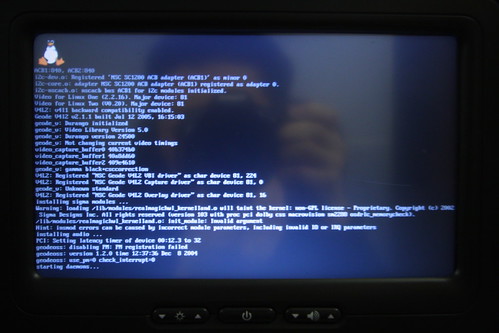


After that you have to add a line with the path to the service to start in the /etc/rc.local.

Check if permissions on those two files are set on 0755,then you could reboot your server and verify if the service start successfully.


img credits wmliu


Read more...

Tuesday, April 27, 2010

Install Odf-converter-integrator on Linux Redhat Centos

Hi all, today i will explain to you how to install odf-converter-integrator, an open tool to convert Microsoft Office 2007 files with .docx .pptx, .xlsx extensions in open file format ODF , you have to download the software rpm into a temp dir. So change your current dir to /tmp/ dir and launch the command:

1) Launch:
wget http://linuxsoft.cern.ch/cern/slc5X/x86_64/yum/extras/odf-converter-integrator-0.2.3-2.i386.rpm

2) Execute the command:
rpm -ivh odf-converter-integrator-0.2.3-2.i386.rpm

3) When process completed the installation you could run your cmd for conversion
OdfConverter somefile.docx

If you use this tool with OpenOffice you could do very intersting different kinds of conversion...


Read more...

Sunday, March 21, 2010

[Solved] DocumentConverter.py via PHP on Linux RedHat Centos


This is a guide to fix the use of PYODConverter on linux RedHat Centos 5 box users.
If you wanna use DocumentConverter.py written by artofsolving, you have to follow those steps.

1)Install openoffice on your linux box or verify installation through commands:
Install Packages

yum install openoffice.org-xxx.

Check Packages

yum list | grep "openoffice".


2)Install python-uno bridge

3)Download DocumentConverter.py

4)Add the following line below "import uno"...

import sys
sys.path.append("/usr/lib/openoffice.org/program")


5)Run openoffice like a service with -headless and -nofirtstartwizard options.


/usr/lib/openoffice.org/program/soffice -nologo -nofirststartwizard -headless -norestore -invisible "-accept=socket,host=localhost,port=8100,tcpNoDelay=1;urp;"


The port 8100 must be the same for client and server obviously.


If you execute this php code


$cmd = "/usr/bin/python /var/www/html/DocumentConverter.py inputfile $outputfile.pdf 2>&1 | tee /var/www/html/mylog.txt"; // tee used to log output and errors of cmd
exec($cmd, $results);
printf("Exec Output: {".print_r($results).";}\n"); //print results of exec command


you'll probably get this error:


[Java framework] Error in function createSettingsDocument (elements.cxx).javaldx failed!

And other permissions problems on tmp dirs.

To solve this, simply add into your php script those lines of code

if (!file_exists("/tmp/ooohomedir"))
{
mkdir("/tmp/ooohomedir");
chmod("/tmp/ooohomedir", 0777);
}
putenv("HOME=/tmp/ooohomedir");


If you have another workaround about this please leave a comment below.
C u.


Read more...

Tuesday, July 14, 2009

How to code a wordpress plugin.

Hi everybody. I would like to bookmark this screencast tutorial that explains how to build a simple wordpress plugin.


You could find the complete tutorial on tutplus


Read more...

Saturday, June 6, 2009

Project Natal & Lionhead Milo Project @ E3 2009

Here we are. These two videos demonstrates that the future of playing videogames is nearby.
Microsoft presents Xbox360 with new amazing devices at the E3 2009.
No controllers, no wires, facial recognition, voice and body recognition .
This and more other things are explained in the videos that follows.
The payoff says:
XBOX360, The only experience that you needs is your life experience.
Have a nice view.


Project Natal


Lionhead Milo Project


Read more...